This article was updated in January 2026
SharePoint retention policies are essential rules that define how long content is kept and what happens once the retention period expires. These policies protect valuable data, ensure compliance with regulations, and prevent premature or accidental deletion of important information. Implementing SharePoint retention policies is critical for organizations that manage sensitive or regulated data in SharePoint environments. These policies automate lifecycle management, helping reduce legal and operational risks.
Today, regulatory frameworks such as GDPR, HIPAA, and SOX require organizations to demonstrate control over their data retention. Microsoft offers robust tools, including Purview retention, to support organizations in creating and enforcing SharePoint retention policies effectively. These policies are a cornerstone of good information governance and ensure that content is preserved or deleted in alignment with business and legal needs. At the end of this article, there’s a checklist to help you configure, enforce, and manage SharePoint retention policies to protect content and ensure compliance.
Important update for 2026: As announced in January 2026 (Microsoft Message Center MC1211579), legacy SharePoint in-place records management and hold features will be retired in April 2026. Microsoft now recommends using unified retention policies and labels exclusively through Microsoft Purview Data Lifecycle Management for all SharePoint, OneDrive, Teams, and Exchange content. This shift ensures consistent governance across workloads and simplifies compliance.
Why this matters
According to a 2025 Forrester Total Economic Impact™ study of Microsoft Purview, commissioned by Microsoft, organizations that unify data security, governance, and compliance on Microsoft Purview achieve a 30% reduction in the likelihood of data breaches and significant ROI over three years. When combined with SharePoint site and storage policies that automate archiving and deletion of unused content, organizations can substantially reduce storage and infrastructure costs while keeping their environment clean and compliant. Together, SharePoint and Microsoft Purview provide a strong foundation for data management that supports business goals and regulatory requirements.

Understanding retention vs archival
What is Archival?
Archival is a separate process of moving inactive data to long-term storage for cost optimization and historical reference. Unlike retention, archival does not enforce compliance but supports data preservation. While SharePoint retention policies keep data accessible during the retention period, archival reduces storage burden post-retention.
Key Differences
| Criteria | Retention | Archival |
|---|---|---|
| Purpose | Compliance and protection | Cost-effective long-term storage |
| Accessibility | Full access during retention | Limited or slower access |
| Managed by | Purview retention policies | Archival tools or manual processes |
| Automation | Automated retention and policy-based deletion | Semi-automated or manual |
Real-World Scenario
A financial services firm applies SharePoint retention policies to keep audit documents for seven years as per regulations. Using Purview retention, these documents are protected from deletion during this time. Afterward, they are moved to archival storage to optimize costs while retaining compliance. This hybrid approach balances data protection with storage efficiency.
In 2026, Microsoft Purview enhancements include AI-powered insights for archival recommendations, helping organizations automatically identify inactive data for cost-optimized storage migration, further bridging the gap between retention and archival processes.
Common Challenges
Many organizations confuse retention with archival, which risks premature deletion of essential data. Proper application of retention policies using tools ensures content management in accordance with legal requirements.Additionally, misunderstanding these concepts can lead to increased storage costs or compliance gaps.
Clearly distinguishing retention from archival is vital for applying effective SharePoint retention policies that balance compliance with operational needs.

Setting Up Retention Labels and Deletion Rules
Retention labels are tags that apply specific retention periods and post-expiration actions to SharePoint content. Using the Microsoft Purview retention portal, administrators create and publish labels to sites or libraries to automatically manage the lifecycle of content. These labels play a key role in retention policies and can trigger policy-based deletion or disposition reviews.
Types of Retention Actions
- Delete content automatically after retention period.
- Retain content indefinitely.
- Initiate a disposition review before deletion.
Each action serves different compliance and business scenarios, and correct configuration is key to effective SharePoint retention policies.
Creating Retention Labels in Purview
The setup involves:
- Signing into the Microsoft Purview compliance portal.
- Navigating to Information governance > Retention labels.
- Creating descriptive labels with retention duration and post-retention actions.
- Publishing labels to relevant SharePoint locations.
Apply the policy to SharePoint sites, OneDrive accounts, Teams channel messages, and private chats for comprehensive coverage across collaboration workloads. This enables consistent enforcement of retention policies across the organization.
For a step-by-step visual guide on setting up retention labels in Purview, watch this quick tutorial video that demonstrates the admin center interface and common pitfalls to avoid.
Event-Based Retention
When retention depends on specific business events (e.g., contract signing), event-based retention labels can trigger retention periods accordingly. This is a best practice within SharePoint retention policies to ensure accurate and compliant data lifecycles.
Example Use Case
A healthcare provider uses Purview retention labels for patient records with a 10-year retention. After the period, policy-based deletion automatically removes records unless flagged for review. This automation helps the organization comply with health data regulations efficiently.
Best Practices
Map document types to appropriate retention labels and use metadata to automate labeling. Regularly audit and update retention settings to align with evolving regulations. These actions reinforce the effectiveness of SharePoint retention policies.
Setting up labels with deletion in the Purview retention section provides automated, scalable lifecycle management according to compliance requirements.
Declaring records and enabling disposition reviews
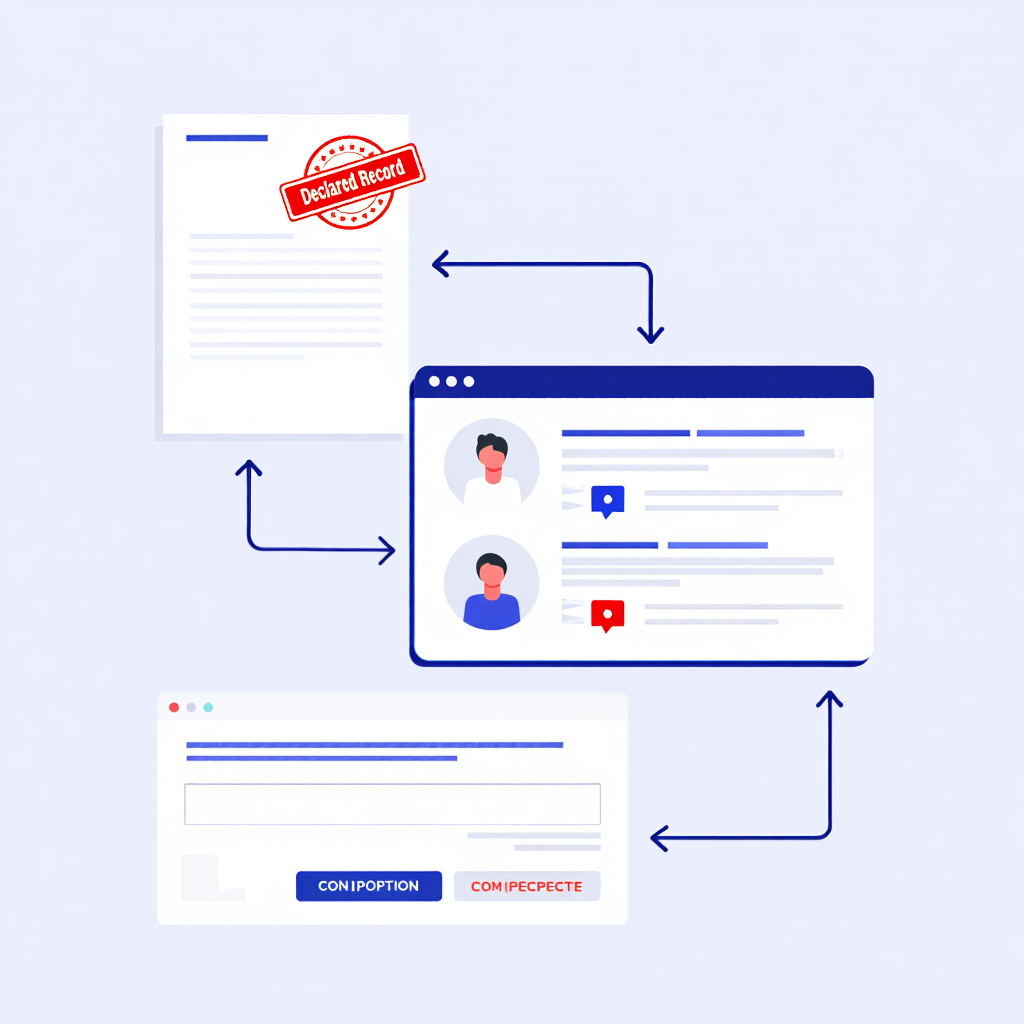
Record declaration formally identifies documents as official records, blocking them from being modified or deleted until their retention period expires. This is an important step to maintaining the integrity of data, especially legally sensitive information. With Microsoft Purview, organizations can use record declaration as part of their compliance strategy.
How Does Disposition Review Work?
At the end of a retention period, records declaration processes often trigger disposition reviews, where authorized reviewers decide whether to delete, retain, or archive the content. This adds a necessary human control point to automated policy-based deletion, reducing risk of premature removal.
Benefits of Disposition Reviews
- Validates deletion decisions to comply with regulations.
- Provides an audit trail supporting governance.
- Ensures records remain protected until it is safe to dispose of them.
Utilization reviews complement record declarations, providing a balance between automation and oversight.
Real-Life Example
A legal department declares contracts as records with a 7-year retention using Purview retention. At retention expiry, contracts enter disposition review, where legal teams confirm if deletion via policy-based deletion is appropriate. This ensures compliance with legal holds and audit requirements.
How to Enable
Administrators enable disposition reviews when creating retention labels in Purview, assign reviewers, and configure notifications. This setup integrates with retention policies and enhances control over content lifecycle.
Combining record declarations with disposal reviews ensures that critical content is retained and only removed when legally and operationally justified.

Governance best practices for compliance
Effective governance is essential for maintaining compliant SharePoint retention policies over time. Regulations evolve, business needs change, and without governance, retention policies may become outdated or inconsistent. Regular oversight ensures that policies remain aligned with compliance requirements and organizational goals. Governance also promotes transparency and accountability in information management.
Organizations should establish clear procedures for applying and monitoring SharePoint retention policies to ensure compliance with legal and business requirements. Using SharePoint Advanced Management & Lifecycle Tools can strengthen oversight, provide advanced reporting, and enable more granular policy controls.
Developing a Retention Schedule Matrix
The Retention Schedule Matrix details each document type, its retention period, and the corresponding actions within the retention policies. This document serves as a central reference for compliance departments and helps standardize retention procedures. Maintaining and updating the matrix helps ensure ongoing compliance.
Use the following template table to build your own Retention Schedule Matrix:
| Document Type | Retention Period | Post-Retention Action | Applicable Regulations |
|---|---|---|---|
| Financial Reports | 7 years | Automatic Deletion | SOX, GDPR |
| Patient Records | 10 years | Disposition Review | HIPAA |
| Contracts | Indefinite | Archival | Internal Policy |
| Emails | 3 years | Delete After Review | Company Standard |
Customize this matrix by adding rows for your specific content types and reviewing it annually for compliance updates.
Standardizing Retention Labels
Applying consistent retention labels throughout the organization ensures uniform enforcement of SharePoint retention policies. It reduces errors, simplifies audits, and helps end-users understand retention requirements. Label standardization is key to leveraging the full capabilities of Purview retention.
Automating Reporting and Audits
Purview’s automation tools for retention management create reports and audit trails to track retention label enforcement and policy-based deletion results. This visibility helps identify gaps and conflicts in retention policies. Automated reporting reduces manual workload and enables proactive management.
Employee Training and Awareness
Educating users about SharePoint retention policies, the purpose of record declarations, and policy-based deletion principles helps ensure compliance. Trained employees are less likely to bypass policies, either accidentally or intentionally. Ongoing awareness programs help foster a culture of responsible data use.
Success Story
According to the 2025 Forrester TEI study, organizations using Microsoft Purview experienced quantified benefits of $3.0 million over three years, including improved compliance efficiency and reduced operational risks, highlighting the tangible ROI of unified data governance.
Effective governance practices are essential for effective and sustainable data retention policies that meet regulatory requirements and business objectives.
FAQ
What is Microsoft Purview retention?
Purview retention is Microsoft’s integrated solution to create, manage, and enforce retention policies across Microsoft 365. It automates deletion and supports records declaration.
How do retention policies interact with litigation holds?
Injunctions override retention policies and prevent deletion until the injunction is lifted. This ensures that data is preserved during litigation.
Can retention policies be applied to Teams chats and channels?
Yes, Purview retention supports applying retention labels and policies to Teams messages and channels alongside SharePoint. As of 2026, Purview also supports AI-enhanced retention for Teams adaptive scopes, allowing dynamic policy application based on content sensitivity.
What is the difference between retention labels and policies?
Retention labels classify content, while policies define how and where these labels are applied.
Can I automate label assignment using metadata?
Yes, Purview retention supports automatic label application based on metadata conditions.
How does policy-based deletion affect users?
Users cannot delete content before retention expires; afterward, policy-based deletion removes content automatically or after disposition review.
This video explores key aspects of data management in SharePoint and Teams using retention labels and site-level retention policies. It explains how these tools help ensure regulatory compliance and effective data governance. Special attention is given to the differences in applying labels versus policies, as well as how to use them together for optimal results.
Cloud Design Box, Retention Labels vs Site Retention Policies in SharePoint and Teams
Conclusion
SharePoint plays a fundamental role in effective content management in Microsoft 365. By using retention tools combined with records declaration and policy-based deletion, organizations can meet compliance requirements, protect critical information, and optimize storage costs.
A well-designed retention framework minimizes compliance risks and enhances operational agility. To succeed, organizations must audit current policies, implement centralized retention labels, and train staff on policy use. Establishing governance ensures these policies remain effective as regulations and business needs evolve.
“Protecting data is protecting AI, and Purview’s impact on compliance and investigation efficiency is exactly what organizations need right now.” — Vasu Jakkal, Corporate Vice President of Security, Compliance, and Identity at Microsoft.
Start developing comprehensive SharePoint data retention policies today to ensure compliance and the efficiency of your data environment. If you find this resource helpful, you can save it as a checklist. It will help ensure your organization retains the right data for the right length of time, mitigate risks, and simplify management of your entire SharePoint environment.

Sources
- 2025, Forrester Consulting. The Total Economic Impact™ Of Microsoft Purview.
- Jakkal, Vasu, 2025, Microsoft Security Blog. Microsoft Purview delivered 30% reduction in data breach likelihood.
- For $3.0 million benefits: 2025, Forrester Consulting. The Total Economic Impact™ Of Microsoft Purview.